Website Integration
Add cross-reference search to your website in 4 steps.
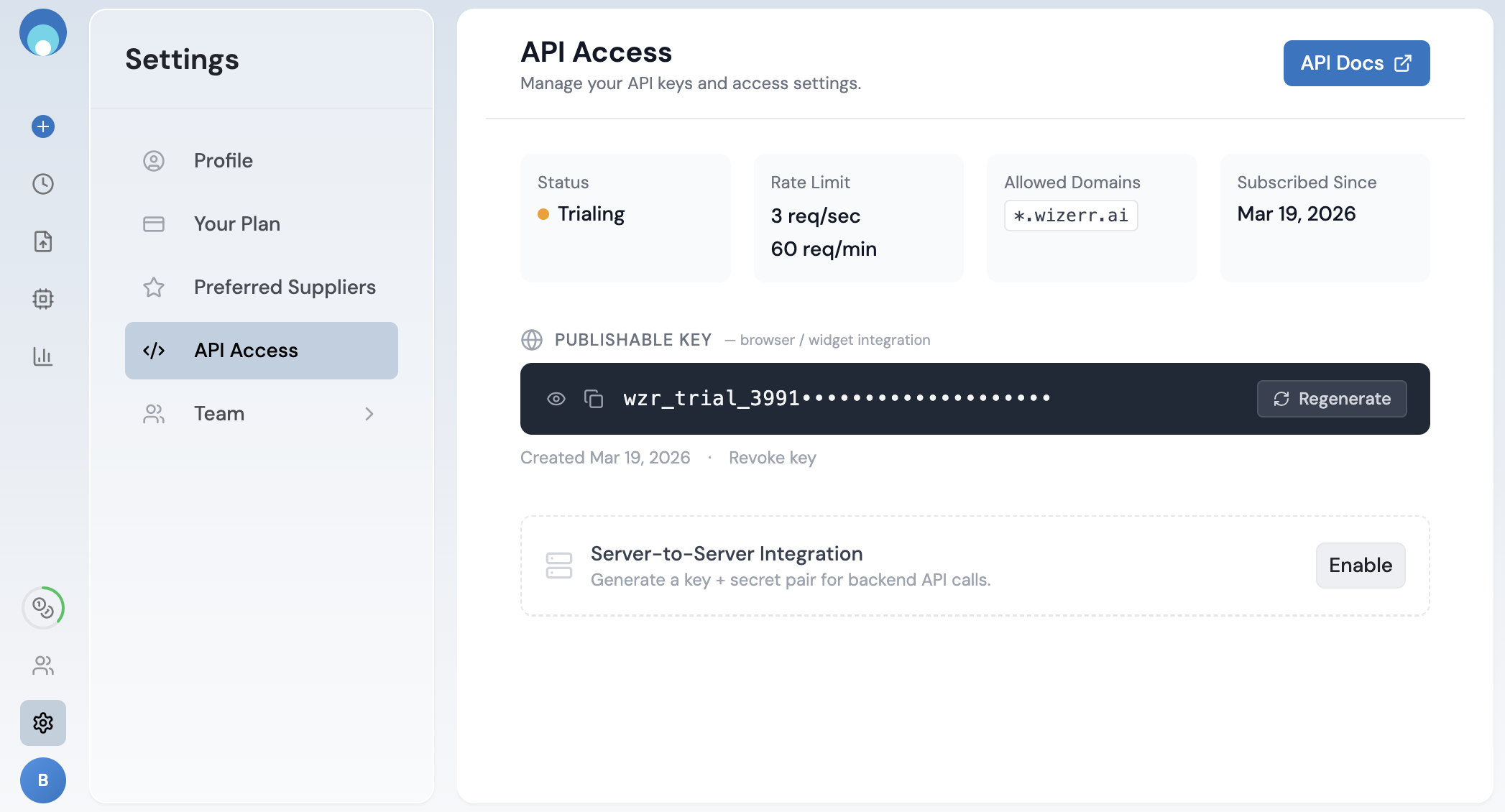
1 Get your publishable API key
Go to Settings → API Access. Copy the key shown under PUBLISHABLE KEY.
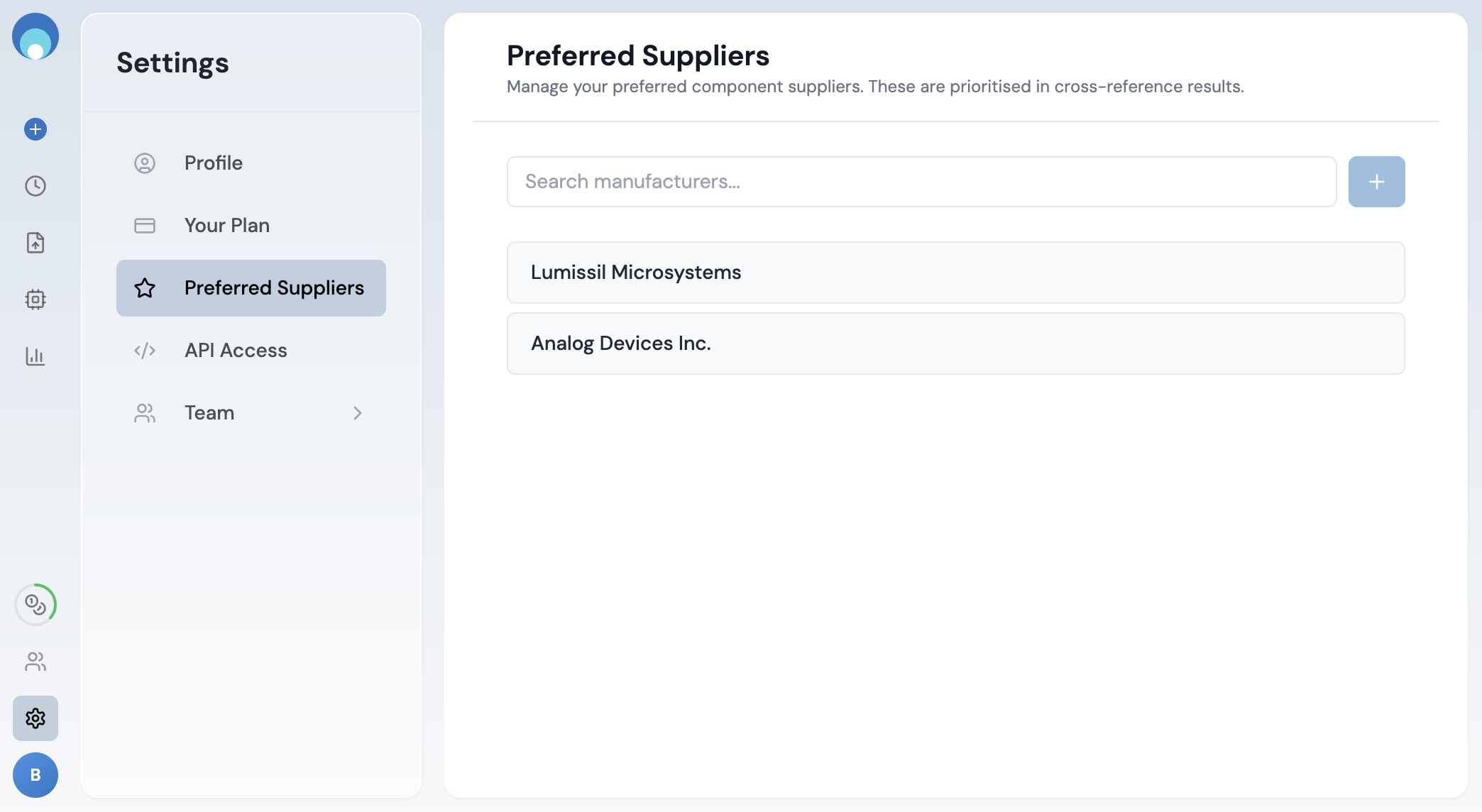
2 Set your preferred suppliers
Go to Settings → Preferred Suppliers. Search for a manufacturer and click + to add it.
The SDK will only return cross-reference results from suppliers on this list. Make sure you add every manufacturer you want to see in your results.
3 Add the SDK and initialize
Include the script tag in your HTML (no bundler needed), then create a client with your publishable key from step 1.
<script src="https://app.wizerr.ai/wizerr-sdk.js"></script>
<script>
  const client = new WizerrXref({
    apiKey: 'wzr_live_pk_abc123',
  });
</script>
4 Run a search
Pass a part number to client.search(). Each call uses 1 credit. Results from your preferred suppliers (step 2) are ranked first automatically.
const res = await client.search('LM358');
console.log(res.data.results);
Response format
The response is a JSON object with two root fields:
input_part_details object
Metadata about the part you searched for.
| Field | Type | Description |
|---|---|---|
part_number | string | The part number you submitted |
manufacturer | string | Detected manufacturer of the input part |
variant_part_number | string | null | When your exact part number is not in our database, we use a closely related variant to produce the results. Contains that variant's part number. null when results are for your exact input. |
results array
Cross-reference matches. Each result has a type indicating the search tier:
wizerr-deep-search Best matches — high-confidence drop-in replacements with a compatibility score.
Additional alternates — functionally similar parts from a broader search.
| Field | Type | Description |
|---|---|---|
part_number | string | Cross-reference part number |
manufacturer | string | Manufacturer name |
description | string | Part description |
match_type | string | "DROP-IN" or "ALTERNATE" |
match_score | number | Compatibility score (present on deep-search results) |
preferred_supplier | boolean | true if the manufacturer is on your preferred list |
type | string | "wizerr-deep-search" or "wizerr-expanded-search" |
Example
{
  "input_part_details": {
    "part_number": "TPS24701DGK",
    "manufacturer": "Texas Instruments",
    "variant_part_number": null
  },
  "results": [
    {
      "part_number": "IS31BL3212-DLS2-TR",
      "manufacturer": "Lumissil Microsystems",
      "description": "IC LED DRIVER LINEAR 23MA 8DFN",
      "match_type": "DROP-IN",
      "match_score": 0.96,
      "preferred_supplier": true,
      "type": "wizerr-deep-search"
    },
    {
      "part_number": "LTC4211CMS8#PBF",
      "manufacturer": "Analog Devices Inc.",
      "description": "IC HOT SWAP CTRLR GP 8MSOP",
      "match_type": "ALTERNATE",
      "preferred_supplier": true,
      "type": "wizerr-expanded-search"
    }
  ]
}
Full copy-paste example
A minimal working page. Replace the API key with yours.
<!DOCTYPE html>
<html>
<head><title>Xref Search</title></head>
<body>
  <input id="pn" placeholder="Part number" />
  <button id="btn">Search</button>
  <pre id="out"></pre>

  <script src="https://app.wizerr.ai/wizerr-sdk.js"></script>
  <script>
    const client = new WizerrXref({
      apiKey: 'wzr_live_pk_abc123',
    });

    document.getElementById('btn').onclick = async () => {
      const pn = document.getElementById('pn').value;
      try {
        const res = await client.search(pn);
        document.getElementById('out').textContent =
          JSON.stringify(res.data.results, null, 2);
      } catch (err) {
        document.getElementById('out').textContent = err.message;
      }
    };
  </script>
</body>
</html>
SDK options
| Option | Default | Description |
|---|---|---|
apiKey | - | Your publishable key (required) |
maxRetries | 0 | Auto-retry when the rate limit is reached (3 req/sec, 60 req/min). The SDK waits and resends the request automatically. Set to 2-3 for production use. |