Server-to-Server (REST API)
Call the Xref API from your backend in 4 steps.
1 Generate your server key
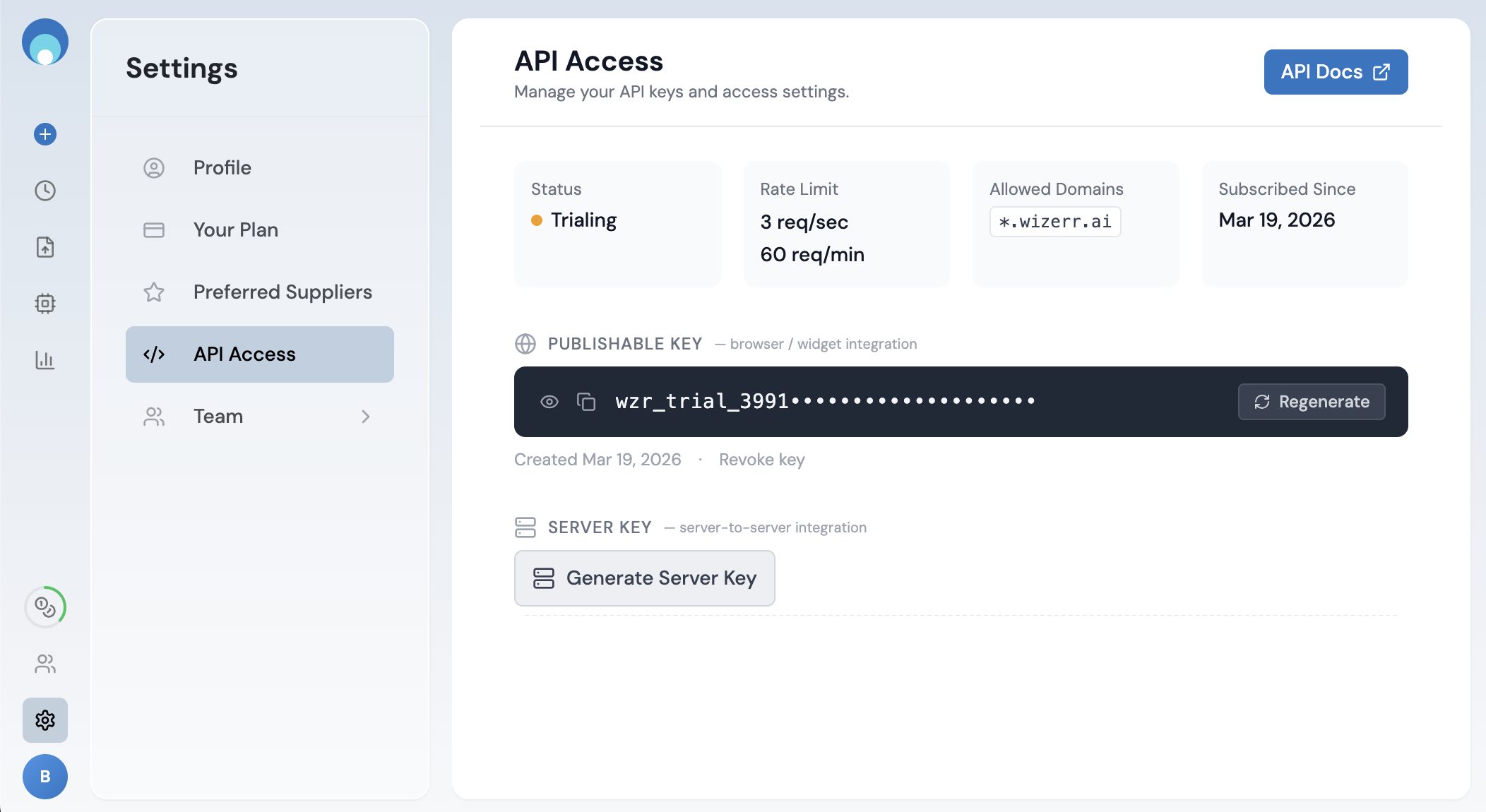
Go to Settings → API Access. Click Generate Server Key under the Server Key section.
2 Save your credentials
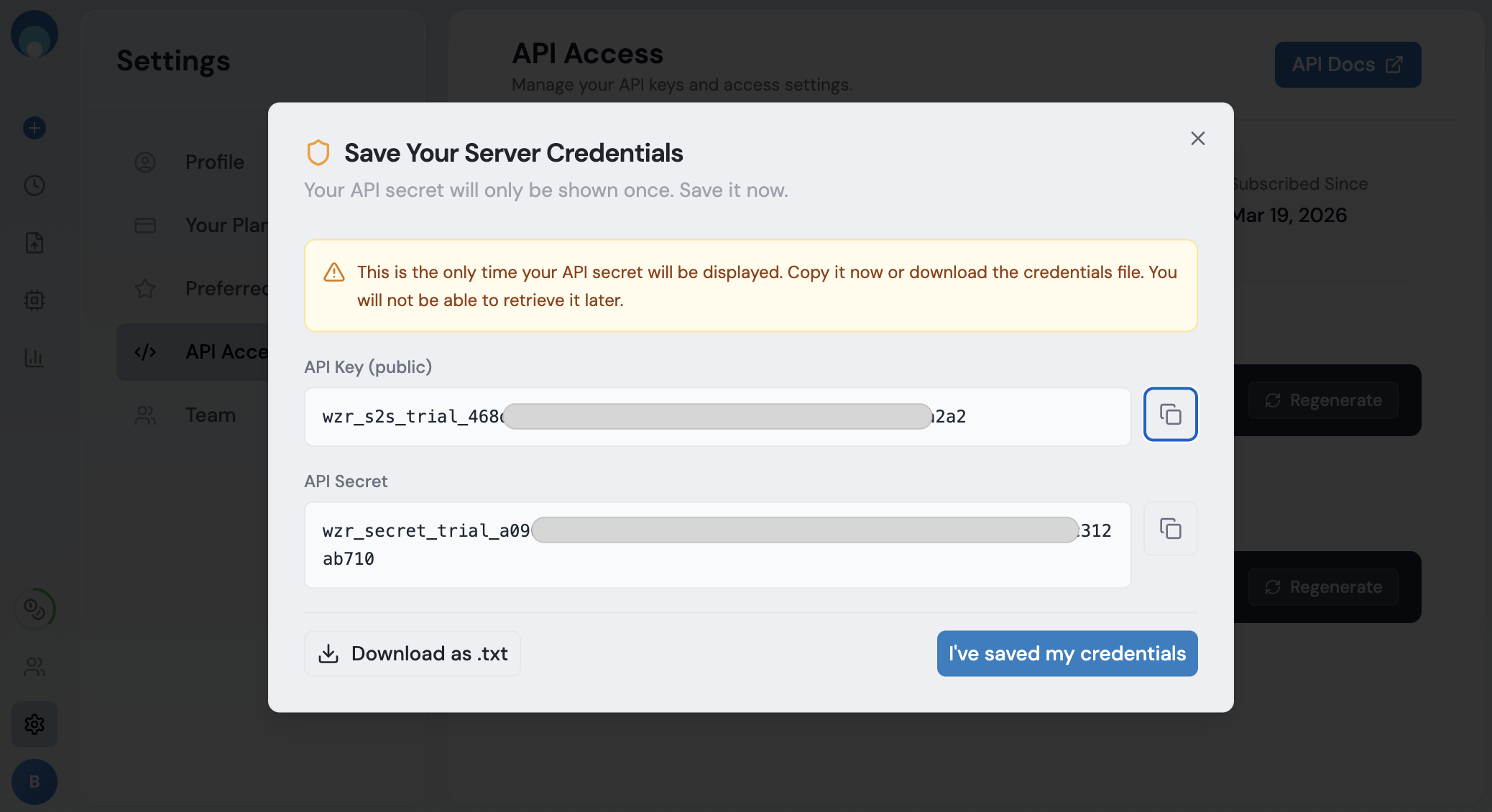
A dialog shows your API Key and API Secret. The secret is shown only once. Copy it now or download the .txt file.
3 Set your preferred suppliers
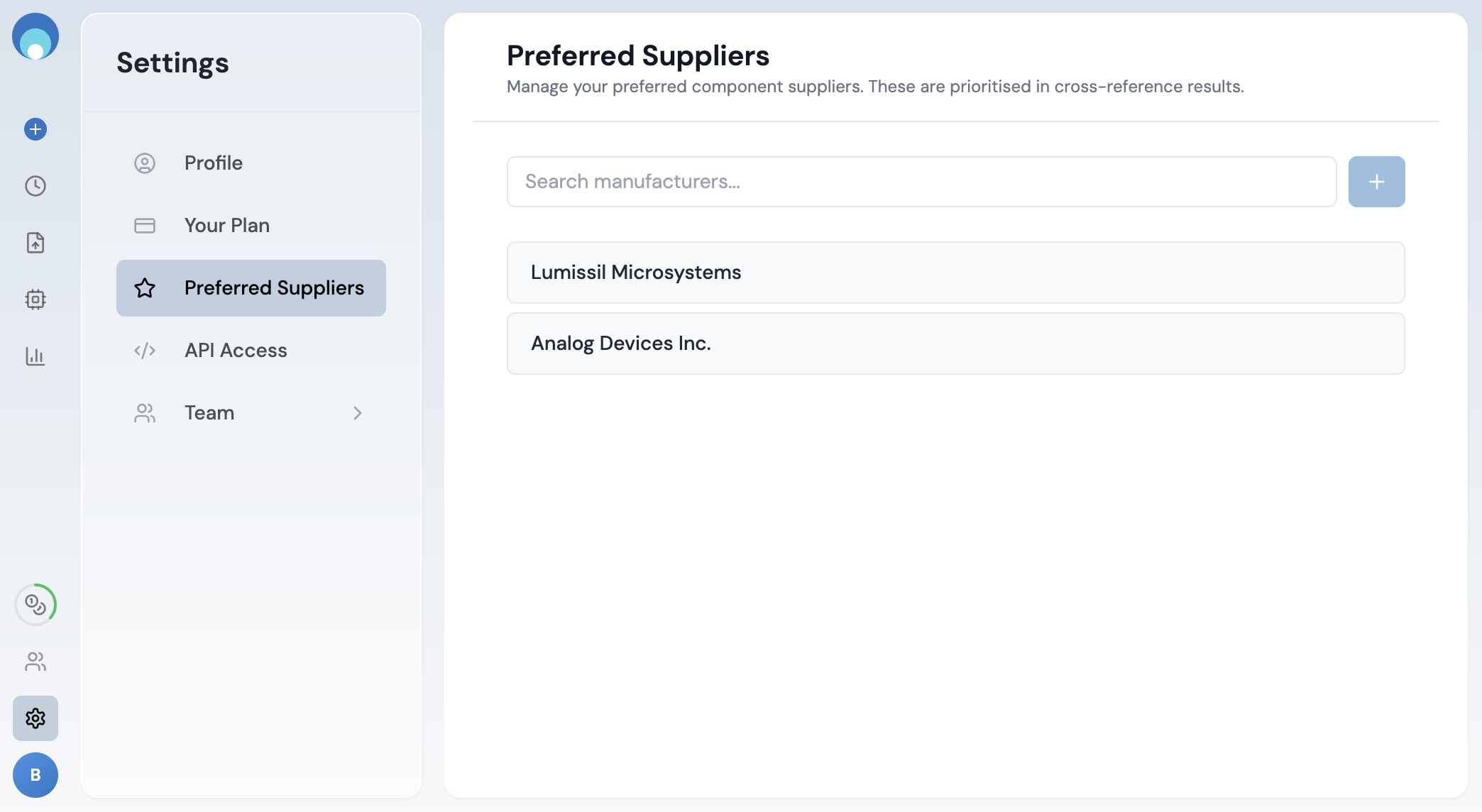
Go to Settings → Preferred Suppliers. Search for a manufacturer and click + to add it.
The API will only return cross-reference results from suppliers on this list. Make sure you add every manufacturer you want to see in your results.
4 Make a search request
Send a POST to https://api.wizerr.ai/v1/xref with your credentials and a part number. Each call uses 1 credit.
Required headers
| Header | Value |
|---|---|
x-api-key | Your server API key |
x-api-secret | Your server API secret |
Content-Type | application/json |
Request body
| Field | Type | Required | Description |
|---|---|---|---|
part_number | string | Yes | Part number to search |
Examples
curl -X POST "https://api.wizerr.ai/v1/xref" \
  -H "Content-Type: application/json" \
  -H "x-api-key: $WIZERR_API_KEY" \
  -H "x-api-secret: $WIZERR_API_SECRET" \
  -d '{ "part_number": "LM358" }'
const res = await fetch('https://api.wizerr.ai/v1/xref', {
method: 'POST',
headers: {
'Content-Type': 'application/json',
'x-api-key': process.env.WIZERR_API_KEY,
'x-api-secret': process.env.WIZERR_API_SECRET,
},
body: JSON.stringify({ part_number: 'LM358' }),
});
const data = await res.json();
console.log(data.results);import requests
resp = requests.post(
"https://api.wizerr.ai/v1/xref",
headers={
"x-api-key": WIZERR_API_KEY,
"x-api-secret": WIZERR_API_SECRET,
},
json={ "part_number": "LM358" },
)
data = resp.json()
print(data["results"])Response format
The response is a JSON object with two root fields:
input_part_details object
Metadata about the part you searched for.
| Field | Type | Description |
|---|---|---|
part_number | string | The part number you submitted |
manufacturer | string | Detected manufacturer of the input part |
variant_part_number | string | null | When your exact part number is not in our database, we use a closely related variant to produce the results. Contains that variant's part number. null when results are for your exact input. |
results array
Cross-reference matches. Each result has a type indicating the search tier:
wizerr-deep-search Best matches — high-confidence drop-in replacements with a compatibility score.
Additional alternates — functionally similar parts from a broader search.
| Field | Type | Description |
|---|---|---|
part_number | string | Cross-reference part number |
manufacturer | string | Manufacturer name |
description | string | Part description |
match_type | string | "DROP-IN" or "ALTERNATE" |
match_score | number | Compatibility score (present on deep-search results) |
preferred_supplier | boolean | true if the manufacturer is on your preferred list |
type | string | "wizerr-deep-search" or "wizerr-expanded-search" |
Example
{
  "input_part_details": {
    "part_number": "TPS24701DGK",
    "manufacturer": "Texas Instruments",
    "variant_part_number": null
  },
  "results": [
    {
      "part_number": "IS31BL3212-DLS2-TR",
      "manufacturer": "Lumissil Microsystems",
      "description": "IC LED DRIVER LINEAR 23MA 8DFN",
      "match_type": "DROP-IN",
      "match_score": 0.96,
      "preferred_supplier": true,
      "type": "wizerr-deep-search"
    },
    {
      "part_number": "LTC4211CMS8#PBF",
      "manufacturer": "Analog Devices Inc.",
      "description": "IC HOT SWAP CTRLR GP 8MSOP",
      "match_type": "ALTERNATE",
      "preferred_supplier": true,
      "type": "wizerr-expanded-search"
    }
  ]
}
Error responses
Errors return JSON with an error code and message.
| Status | Error | Meaning |
|---|---|---|
| 400 | invalid_input | Missing or invalid part_number |
| 401 | missing_api_key | No x-api-key header |
| 401 | invalid_api_key | Key not found |
| 401 | missing_api_secret | Missing x-api-secret header |
| 401 | invalid_api_secret | Wrong secret |
| 402 | insufficient_credits | No credits remaining |
| 429 | rate_limit_exceeded | Too many requests - see Rate limits |
| 504 | request_timeout | Search exceeded timeout |